Behind the App: How 'Angeles Intel.' Works
It's been a very exciting time around here - our new iOS app, Angeles Intel. hit the Apple App Store last week after a little over a month of testing with a fantastic small group of beta testers.
I've fielded many questions about how the system works, and this post aims to answer them all. Some parts of it are shockingly simple, while others had to be much more complex than expected.
Since this is a semi-technical write up, I'll briefly tell you about my background and what we set out to accomplish with this app: my name is Mark and I'm a DevOps Engineer. I work with computers, programming languages, and cloud services daily. I'm also a ham radio operator so I've got some basic knowledge of antennas and scanning on my side. All of those things came together with heavy use of Agentic A.I. to make this happen.
The Precursor: ANF FireBot
A few years ago I created "ANF FireBot", a Telegram messenger-based feed that surfaces new and changed ANF incidents. I made it for myself and opened it up to anyone, and to my shock, horror, and delight, ANF first responders began using it - and sending me feedback! As I write this, 518 people are in that channel. (Much, much appreciation to Harry Oh, by the way.)
Now in 2026, it was time to take a stab at building an ANF-focussed toolkit with maps, customizations, and the other things that audience (as well as us civilians) have wanted to see. We all needed cohesion of previously-scattered Angeles NF (ANF) data: incidents like wildfires and car accidents, live radio traffic between dispatch and first-responders, fire weather forecasts, maps with landmarks, and beyond.
Smokey: The A.I. Agent That Made It Possible
I'm a developer, yes, and once upon a time I even took an iOS development class! But that was a decade ago, I never used that knowledge to publish an app, and Apple changed from Objective C to Swift since. An A.I. agent I named Smokey (as in Smokey Bear) did 100% of the Swift programming required for this app - with tons of guidance, perhaps 20 hours of prompting/chatting. Go into it with a vision and solid requirements, and A.I. can be a weapon that wins a war for you.
In this case, Claude Code is running on a dedicated Mac Mini at the office with the Discord plugin and broad access to code and infrastructure, on Anthropic's Opus 4.7 model.
You may have heard that horror story recently about how that startup's database and backups got deleted by an A.I. Agent. Thanks to some basic planning, Smokey works via a GitHub repository, sending Pull Requests (code change reviews) that I review and merge in. Smokey can view/read the project's items in the AWS account but not directly modify or delete any resources at all - just like a junior developer, or even a senior developer in a strict or regulated environment. Don't give God Mode to A.I., and don't leave God Mode credentials lying around - it's not that hard.
System Diagram
As you can see, Amazon Web Services (AWS) is at the heart of the whole thing. Told you I'd show you everything!
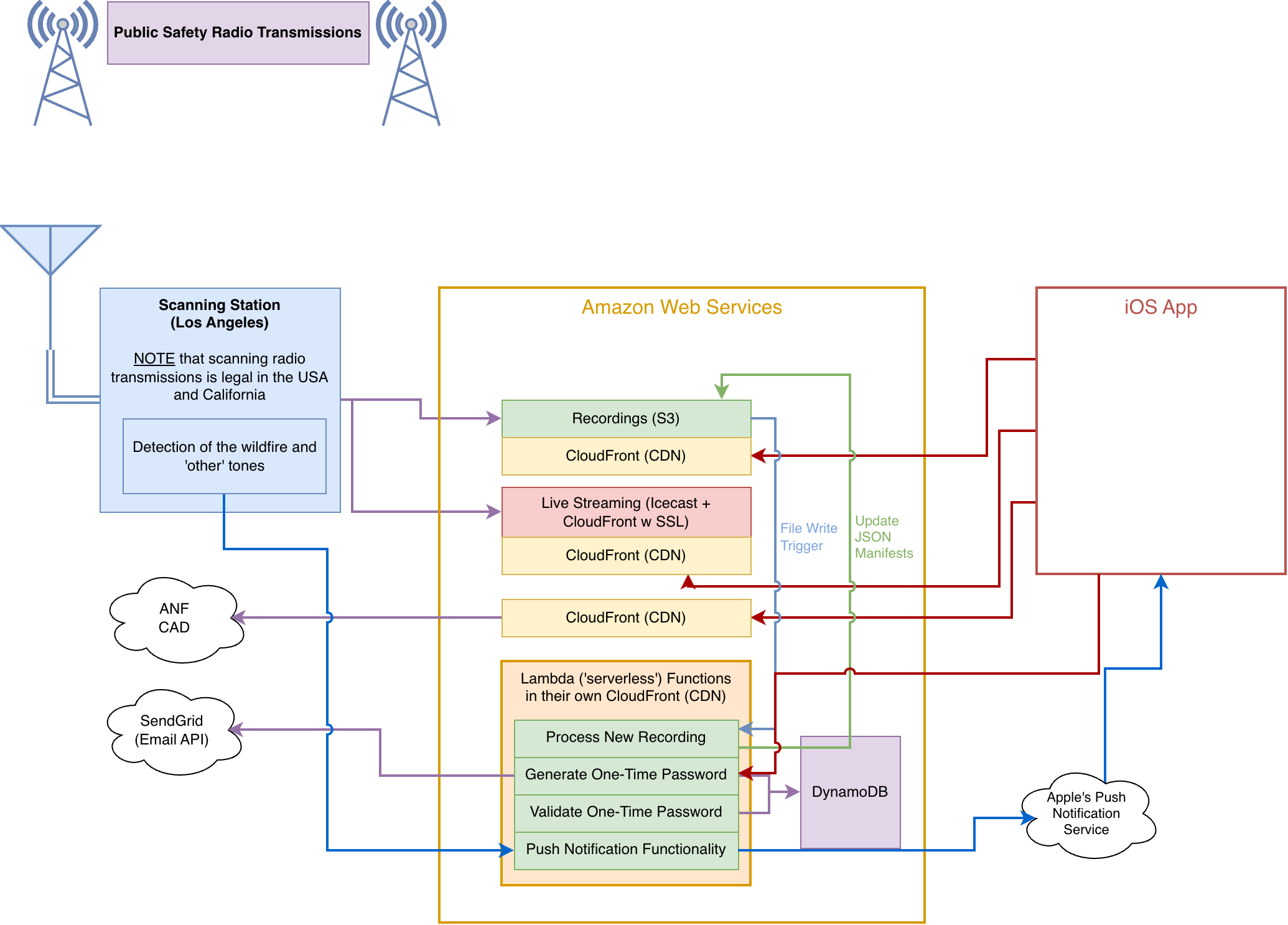
Data is pushed into and pulled from AWS, and the infrastructure is super minimalistic when it comes to the sort of thing we're doing. Since the services selected are all "pay for what you use" (elastic pricing, they call it), the costs so far are so tiny, that they are indistinguishable from the normal monthly spend on this 'projects' account.
The Scanning Station
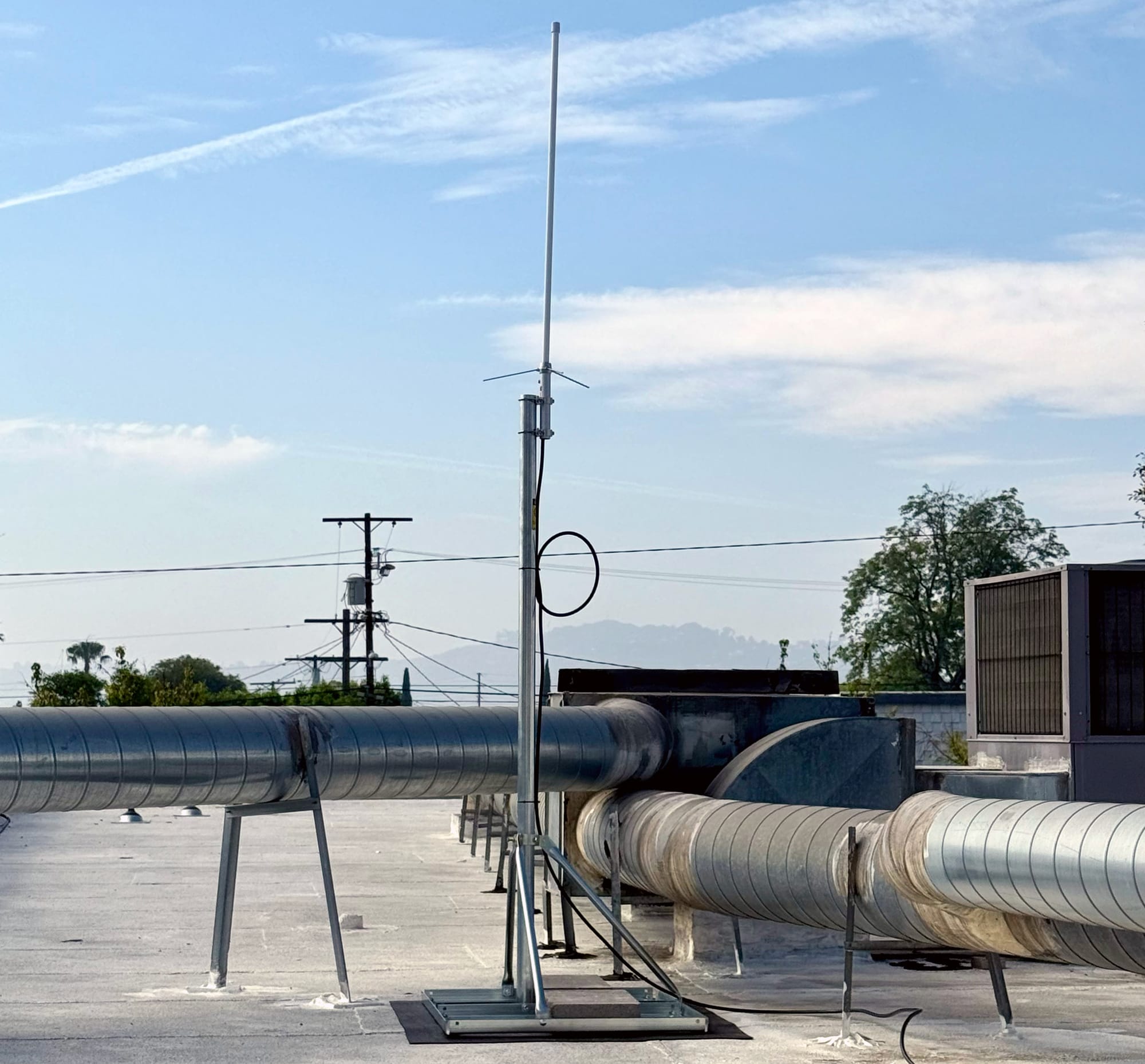
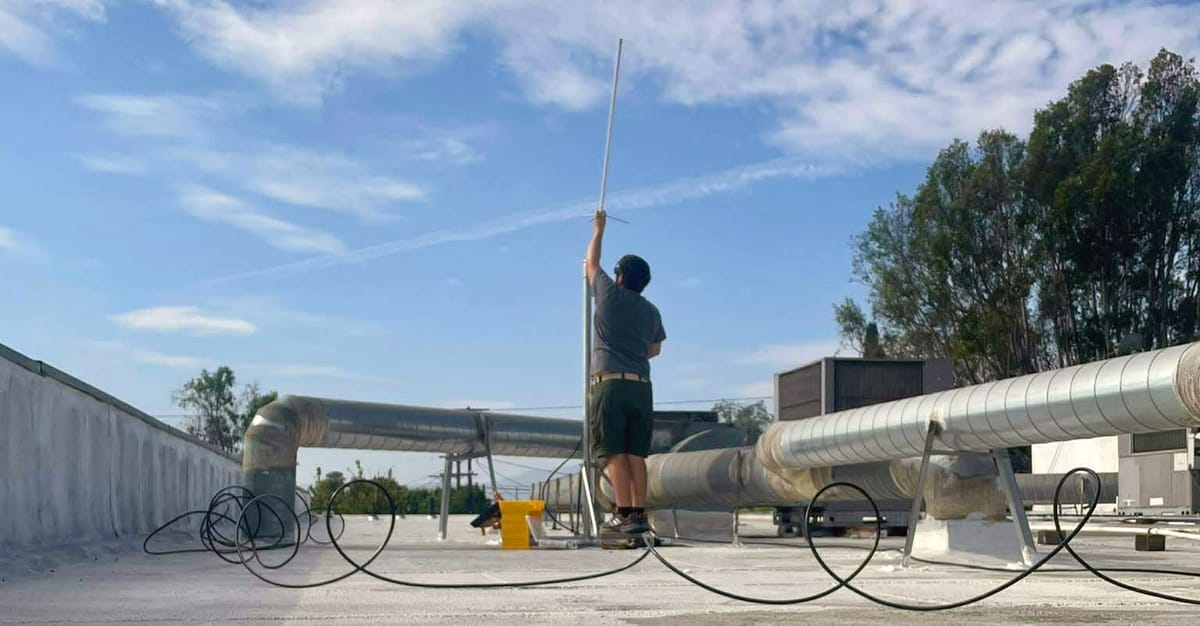
The scanning station is located atop and inside of a commercial building we have access to. This Windows-based scanning system is another area where Smokey helped out immensely, since I don't know Microsoft's Powershell language. But it was clearly the best choice for the task at hand.
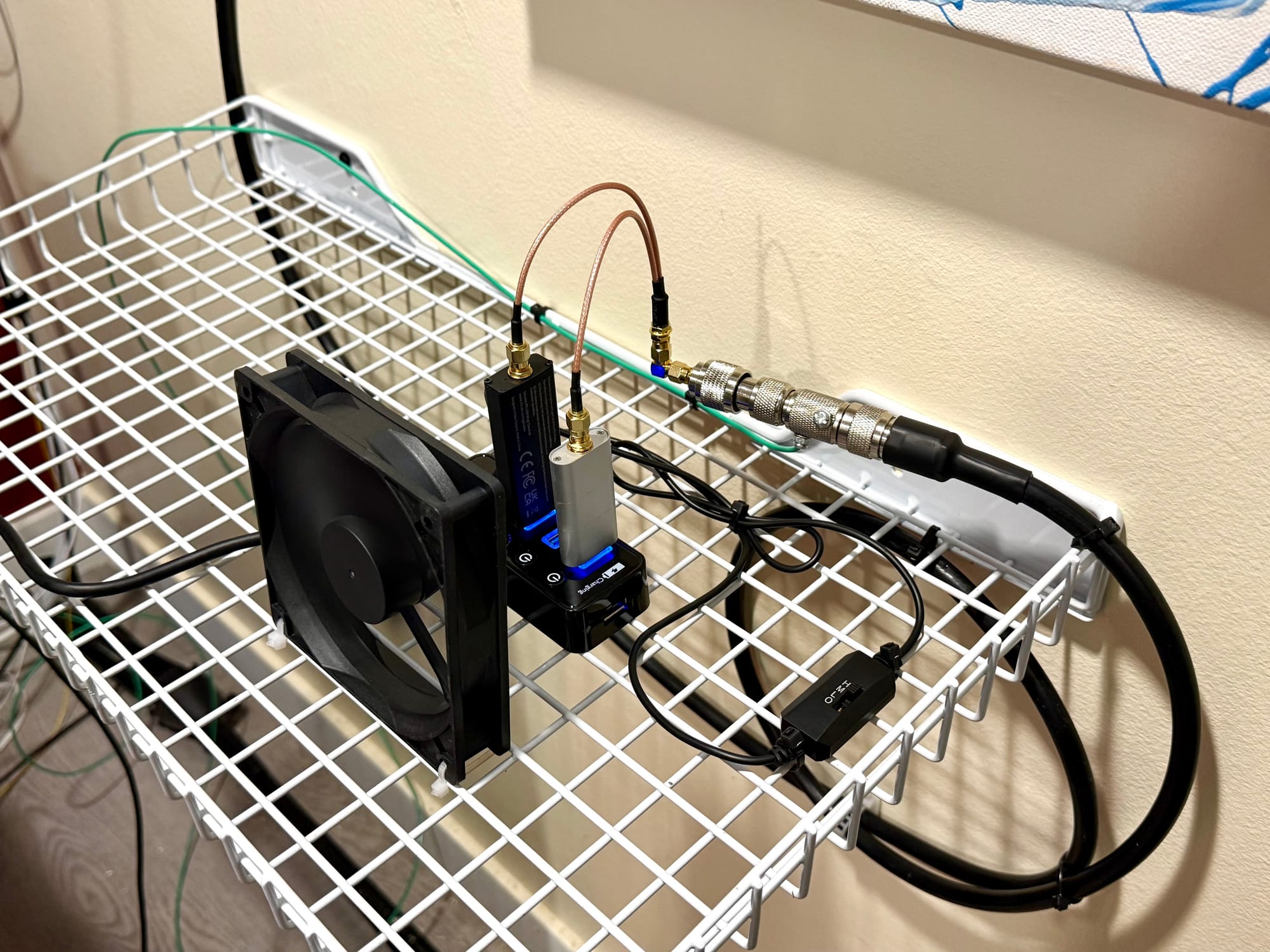
Here's our system parallel processing recordings (middle-bottom window), and SDRTrunk on the left receiving the calls, sending up the live audio streams, and making the recordings. This is where we detect the wildfire and 'other' tones dispatch sends as it's the earliest stage in the whole flow in which we can detect them:
Keeping an Eye on Things
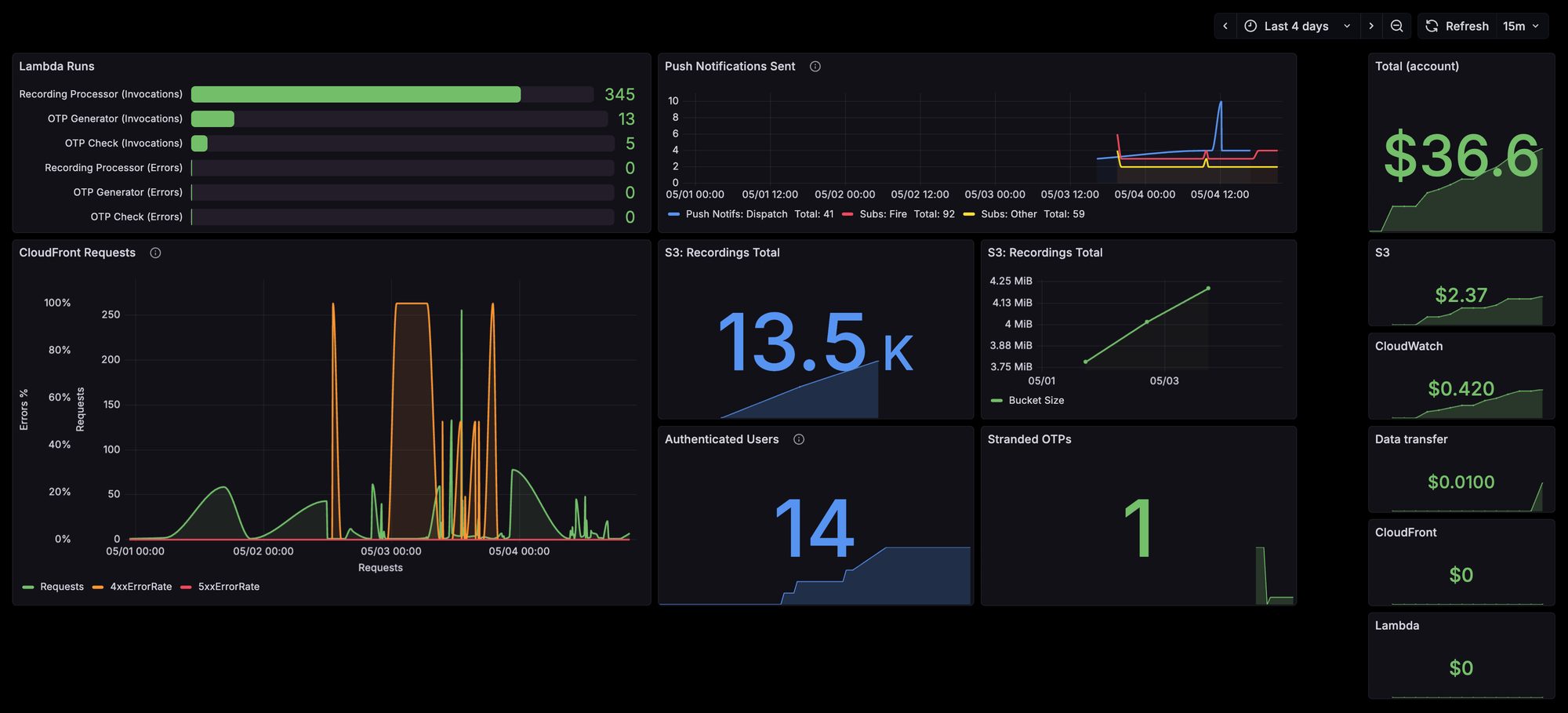
As folks are starting to use the app, monitoring and alerts are extremely important. We need to make sure systems scale and stay online, and that costs don't explode.
The (Grafana) dashboard below shows you what I'm most concerned with - systems continuing to run, and keeping an eye on error rates. It's fun but unnecessary to watch this dashboard since each of these has an alerting threshold set that will summon me via Pagerduty (even in the middle of the night).
Your classic up/down alerting is also in place via Uptime Kuma. Here's the public status page of what I have instrumented:

What's Next?
Improvement! The scanning station in North Hollywood only picks up the front country (South side) radio traffic. We're hoping to set up a second one on Mount Wilson soon. And we're fielding feedback and feature requests daily. Here's the official roadmap:
 Mark Mutti
And that's all for now! We've taken an end-to-end journey and I'm exhausted - but please comment or get in touch with any comments, suggestions, or questions and I'll be happy to reply and even update this post. 🙂
![[Behind the Lens] The Modular Camera Behind This Series](/content/images/size/w600/2026/03/52126026017_c0b76323e7.jpg)